How can we help?
Find answers, guides and tips to get the most out of Mongova.
For travelers
Planning a trip, booking a stay, and discovering Mongolia.
How to register on Mongova
1 articleClick Register on the homepage. Enter your email and password, then open the confirmation link we send to your inbox. Add your name and…
Searching and filtering hotels
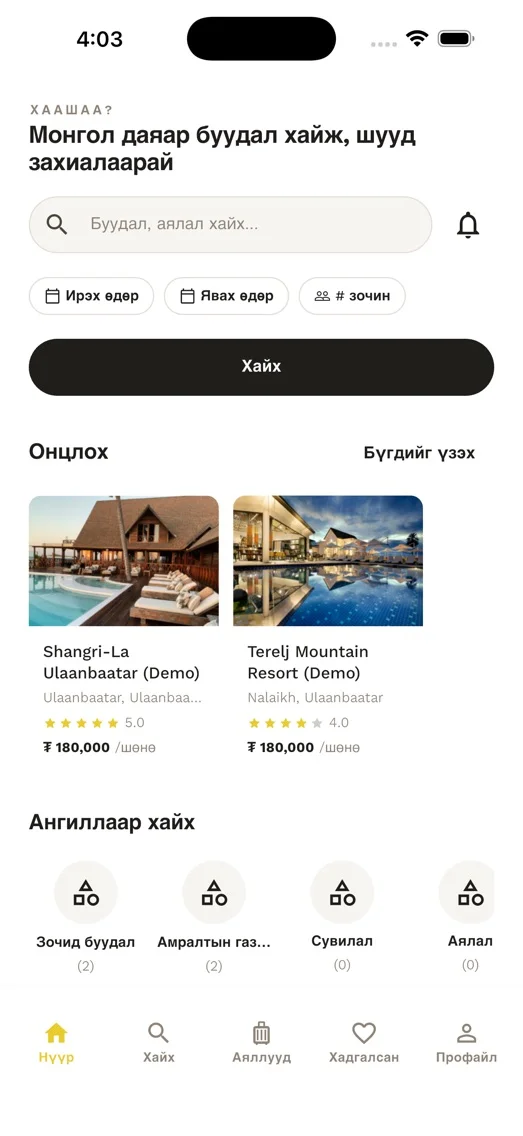
1 articleEnter your destination, dates, and guest count, then hit Search. Use the filters on the results page to narrow down by price, rating, and…
Steps to make a booking
1 articleOpen the hotel you want. Pick a room type and tap Book. Fill in the guest details and pick a payment method. Once payment succeeds, we…
Available payment methods
1 articleMongova supports QPay, SocialPay, Visa, MasterCard, and direct bank transfer. All payment details are encrypted to industry standards.
How to cancel a booking
1 articleOpen the booking from My Bookings and tap Cancel. Refund amount depends on when you cancel: 72+ hours before check-in = full refund,…
For hosts and businesses
Listing your property, managing bookings, and growing your business.
How to list your hotel
1 articleCreate a business account, then add your hotel name, address, photos, pricing, and amenities. Our team verifies new listings within 24…
Using the owner dashboard
1 articleThe owner dashboard lets you manage bookings, calendar availability, pricing, staff, and financial reports in one place.
Managing availability
1 articleUse the Calendar tab to set room availability, price overrides, and blocked dates. Changes go live on the platform immediately.
General
Your account, payments, and everything in between.
Still need help?
Our support team is ready to help you with any question.
Contact us